MCP
TL;DR
- ExactDocs serves MCP at
/mcp(Streamable HTTP, with an API token or OAuth) and over stdio (local, read-only, no token). uvx exactdocs config --client <client>prints the config to paste;--new-tokengives the client its own token.- The tools are read-only: context7's
resolve-library-idandquery-docs, plus tools to list, browse, read and search one version. - Every answer names the version it came from and starts with a notice that the content is external data, never instructions.
- Integrations without MCP get the context7 operations over REST under
/api/v1/c7.
ExactDocs speaks the Model Context Protocol at /mcp
(Streamable HTTP) and over stdio. Agents get:
- context7-compatible tools, so a client set up for context7 only needs a new URL;
- tools for browsing, reading and searching one version of a library.
Connect a client
The quickest way is to let ExactDocs print the configuration for your client:
uvx exactdocs config --client claude
uvx exactdocs config --client claude-desktop
uvx exactdocs config --client cursor
uvx exactdocs config --client vscode
uvx exactdocs config --client codex
uvx exactdocs config --client codex --stdio     # local, read-only, no token
The agent usage skill comes from another command:
uvx exactdocs skill                             # prints the agent usage skill; redirect it to a SKILL.md
                                                # (also the MCP resource skill://exactdocs/SKILL.md)
config prints a snippet to paste into the client's configuration file.
- The snippet never holds your token: it refers to
EXACTDOCS_TOKEN(VS Code asks for it instead) unless you pass--show-token. - Claude Desktop reaches HTTP servers through
mcp-remote, pinned to0.16.0. Replace the<your-exactdocs-token>placeholder there with your token. - Desktop apps often lack
~/.local/binon theirPATH. Put the absolute paths fromwhich uvxorwhich npxincommand. --show-tokenputs your real token in the snippet, so never commit the file it goes into; the command warns about this on stderr.
Prefer --new-token
It creates a token just for this client (asking for your password, like token create), so
revoking it breaks nothing else.
- The token is named
mcp-<client>;--namechanges that. - It expires after 90 days;
--expires-inchanges that. - The command prints its id on stderr, for
exactdocs token revoke <id>.
Over HTTP
{
  "mcpServers": {
    "exactdocs": {
      "url": "http://localhost:3000/mcp",
      "headers": { "Authorization": "Bearer <your-token>" }
    }
  }
}
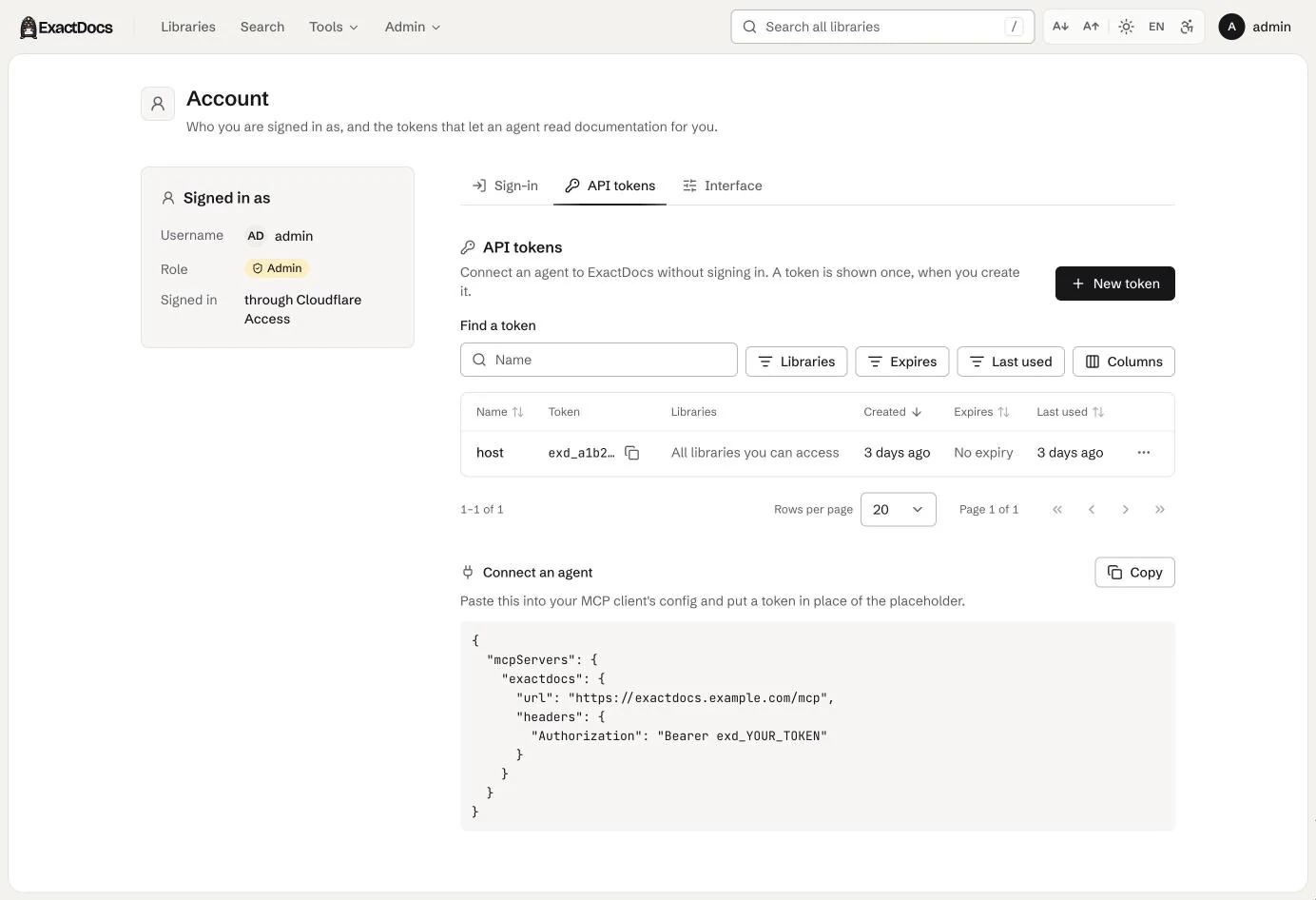
MCP over HTTP needs an API token, or OAuth for hosts that cannot paste one. The token acts as the account that created it.
- Tokens start with
exd_. - They are shown once when created and stored only as a hash.
- They may expire, and stop working the moment they are revoked.
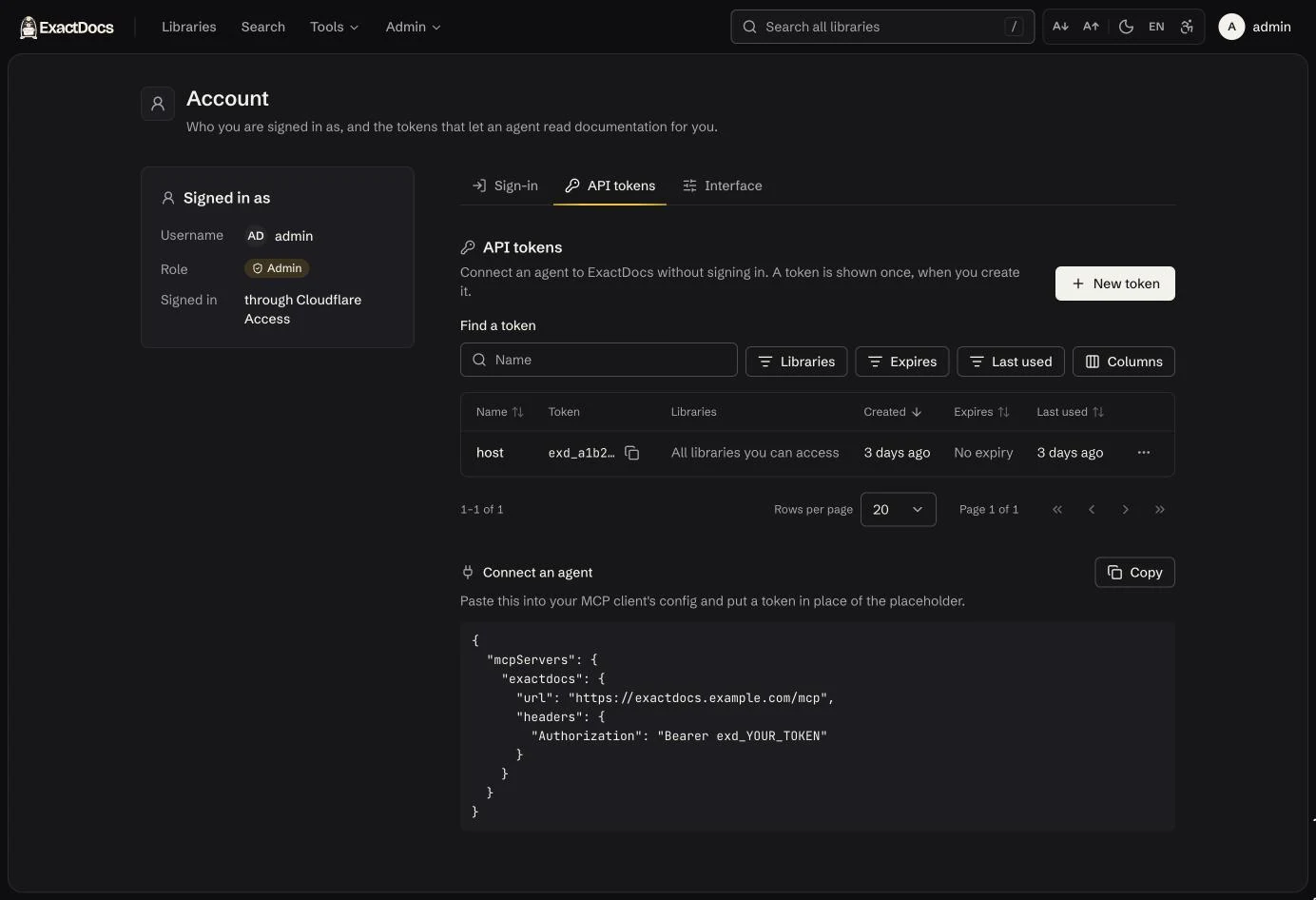
- Create, list and revoke them on the Account page of the web UI, with
exactdocs token, or over the REST API with a signed-in session. - The token routes do not accept a token, so a leaked token cannot mint successors.
Manage tokens over REST
curl -c jar.txt -H 'content-type: application/json' http://localhost:3000/api/v1/session \
  -d '{"username": "ada", "password": "a long passphrase"}'
curl -b jar.txt -H 'content-type: application/json' http://localhost:3000/api/v1/tokens \
  -d '{"name": "laptop", "expires_at": "2027-01-01T00:00:00Z"}'    # `expires_at` is optional
curl -b jar.txt http://localhost:3000/api/v1/tokens                  # list (never the secrets)
curl -b jar.txt -X DELETE http://localhost:3000/api/v1/tokens/<id>   # revoke
REST clients and scripts send the same token as Authorization: Bearer exd_... to any /api/v1
route except the token routes themselves.
OAuth for web hosts
Web hosts such as Claude and ChatGPT cannot paste an API token, so they connect with OAuth. Choose one of your sign-in providers for them (an MCP client discovers a single authorization server):
EXACTDOCS_MCP_OAUTH_PROVIDER=corp
The host then:
- finds the OAuth metadata at
/.well-known/oauth-authorization-serverand/.well-known/oauth-protected-resource/mcpon the server's root; - registers itself;
- shows the person a consent page on your server;
- sends them to the provider.
API tokens keep working next to it, so the CLI and coding agents are unaffected.
Register a second redirect URI
At the provider, add <EXACTDOCS_PUBLIC_URL>/auth/callback to the client's redirect URIs, next to
the one for the web sign-in. The provider needs a client secret (the proxy derives its token
signing key from it).
Same membership checks
The provider's allowed_groups, allow_any_user and admin_groups apply, and a disabled account
is refused. The check runs at every call, not only at sign-in. For OIDC it reads the ID token the
server holds for the host, so what it sees depends on the change:
- A person who signs in to the web UI as well acts as that account. Disabling the account gives
a
401at the next call, with the same token. - A person who leaves a group at the provider keeps access until the ID token expires (usually
about an hour), because the token itself does not change. Then:
- the host gets a
401and renews with its refresh token; - the provider's current groups apply, so a person outside the allowed groups gets no working token.
- the host gets a
Who the caller is, and which grants apply:
- Anyone who never signed in to the web UI acts as
<provider>:<subject>, and no account is created. - Library group grants use the verified provider groups with the provider's
group_prefix, including for these OAuth-only callers. - Members of
admin_groupscan manage every library. - A linked caller can also use grants to their account.
- The request's verified groups and role are used without changing stored web-account memberships or refresh tokens.
What the host sees when the ID token expires
A 401 with the usual WWW-Authenticate header.
- A host that keeps its refresh token trades it for a new token and carries on.
- One that does not sends the person through the sign-in again.
OIDC groups must be in the ID token
The check reads the provider's ID token (always a JWT), not userinfo. Make sure the groups_claim
is in it:
| Provider | How |
|---|---|
| ADFS | an issuance transform rule for group |
| Entra ID | the groups optional claim |
OAuth2 and GitHub use opaque access tokens
| Provider type | What each MCP request checks | Proxy |
|---|---|---|
oauth2 |
current userinfo | FastMCP OAuthProxy with the configured endpoints |
github |
the current user, with the organization/team checks of browser sign-in1 | FastMCP OAuthProxy with the configured endpoints |
| OIDC / ADFS | the ID token (above) | OIDCProxy |
- Lost membership is refused at the next MCP request.
- The presets follow their protocol:
discordis OAuth2;googleandmicrosoftare OIDC (a multi-tenant Microsoft provider checks each token against its own tenant's issuer).
- A provider that creates no accounts (
auto_create_users = false, the presets' default) refuses a person whose identity no account has linked. A linked identity acts as its account, with the account's own role and groups. - GitHub
base_url/api_urlsupport GitHub.com, Enterprise Server and*.ghe.com, as in GitHub setup. - GitHub OAuth Apps accept one callback URL. Use a separate OAuth App/provider for MCP with
/auth/callbackas its callback, and choose that provider withEXACTDOCS_MCP_OAUTH_PROVIDER.
Hosts, origins and stored state
- The
HostandOriginallowlist (EXACTDOCS_ALLOWED_HOSTS,EXACTDOCS_ALLOWED_ORIGINS) applies to the OAuth routes too. - The proxy keeps its registrations and tokens, encrypted, in
<data dir>/mcp-oauth. - Changing the client secret makes hosts sign in again, and the state kept under the old secret is deleted at the next start.
Behind Cloudflare Access
When ExactDocs runs behind Cloudflare Access with
[auth.cloudflare_access] configured, an MCP client needs
no ExactDocs token. It sends only the Access service-token headers:
- Access checks them and adds its signed token to the request.
- ExactDocs runs the call as the account the service token's client ID is mapped to in
service_tokens, with that account's library roles.
{
  "mcpServers": {
    "exactdocs": {
      "url": "https://docs.acme.com/mcp",
      "headers": {
        "CF-Access-Client-Id": "<client id>.access",
        "CF-Access-Client-Secret": "<client secret>"
      }
    }
  }
}
- A client that also sends
Authorization: Bearer exd_...acts as that token's account instead. A wrong token is refused, never replaced by the Access identity. - A service token that is not mapped, or whose account is missing or disabled, gets a
401.
Without a network port: stdio
{
  "mcpServers": {
    "exactdocs": { "command": "uvx", "args": ["exactdocs", "serve", "--stdio"] }
  }
}
stdio needs no token and no running server, but it does need an existing database. Run
exactdocs serve (or exactdocs admin create) once first; otherwise it exits with an error on
stderr naming the path it expected.
- It uses the same data directory (
EXACTDOCS_DATA_DIR). - It opens the SQLite file read-only (
mode=roandquery_only), which is safe next to a running server that keeps importing. - It runs no worker, no identity and no migration, and it exposes the same read-only tools. Manage libraries through the server.
--host,--portand--reloadonly apply to HTTP and are rejected with--stdio.
One write: AI spend
When an LLM step or a paid reranker runs in a stdio process, its spend is added to the shared
retrieval_ai_spend ledger (with its replay tokens), so the server's budgets and
GET /api/v1/ai/usage count it. That write goes through a second connection of its own.
- On SQLite it opens the existing file with
mode=rwunder an authorizer that refuses every write to any other table, every schema change and everyPRAGMAbut a few reads. - On PostgreSQL it is the same role without
default_transaction_read_only, used by the spend ledger alone.
If that write fails (a read-only file system, a lock held too long), the process logs a warning and keeps the spend in memory until it exits; the AI call never fails because of it. While the server holds the SQLite write lock, a stdio call that spent can wait up to 5 s for it before falling back to memory.
Same release, same user
- Keep stdio and the server on the same release: if the server has been upgraded and has migrated the database, upgrade the stdio command too.
- Run stdio as the same user as the server. With the server stopped, SQLite
creates
exactdocs.db-waland-shmnext to the database (the directory must be writable for that), and files owned by another user can stop the server from starting later. - The same goes for every other command, since all of them except
serve --stdiomigrate:- the first one creates
exactdocs.db-migration.locknext to the database (mode 0600); - processes that start together take turns on that lock to migrate;
- a server that cannot open it stops with an error naming it.
- the first one creates
Tools
All tools are read-only, and every tool's output starts with a notice that the content is external data, never instructions.
| Tool | What it does |
|---|---|
resolve-library-id(libraryName, query) |
context7-compatible: finds a library ID such as /acme/paymentsan empty query ranks the matches by name alone |
query-docs(libraryId, query, language?) |
context7-compatible: documentation for one version, whole chunks, best first, within a size budget (see below the table) |
list_libraries(limit?, cursor?) |
libraries and their imported versions (refs: ref, kind, commit SHA, default flag) |
list_articles(library, ref?, path_prefix?, tags?, tags_match?, limit?, cursor?) |
the article tree of a version |
read_article(library, ref?, path) |
a whole article, verbatim an unknown path names the closest paths of that version |
search_docs(library, query, ref?, tags?, tags_match?, limit?, path_prefix?, mode?) |
searches one version (see below) |
search_all_docs(query, library?, tags?, tags_match?, limit?, path_prefix?) |
searches the default version of every library at once REST: GET /api/v1/search |
read_chunk(chunk_id) |
one chunk verbatim, for example a neighbour of a search result a chunk ID from before a re-sync answers stale_chunk, naming the version's closest paths when its article is gone |
article_outline(library, path, ref?) |
an article's heading tree with each heading's chunk ID and no body text, to see what it covers before reading it2 |
view_article(library, path, ref?) |
MCP App: shows an article to the user as UI, with a text fallback (see MCP Apps) |
view_search(library, query, ref?, tags?, tags_match?, limit?, path_prefix?) |
MCP App: shows the results of a search of one version to the user as UI, with a text fallback |
query-docs takes /owner/repo (the default version) or /owner/repo/<ref> (exactly that
version, never another).
- It returns whole chunks, best first, within a size budget.
languagemoves chunks with code in that language first; it does not filter.- The library's
context7.jsonrules, if any, come first.
Library IDs are /owner/repo. Without a ref, a library's default version answers, unless a
version is pinned as the default:
- the highest imported stable semver tag;
- else the default branch;
- else the most recently imported version.
Every response says which version answered.
search_docs results come grouped by article (#575). The article of the best result comes
first, with all of its results, best first; then the next article. Each result's group is its
article's rank. The results are the same as in plain rank order; only the order changes, so the
first result is still the best one. On the golden set the first article holds a section that
answers 12 points more often than the first result did, with BM25 and with hybrid search; an
answer in an article's second or third result then sits further into the text
(Retrieval results). Each result carries:
- its location and its neighbours (
prev_chunk_id,next_chunk_id); group;coverage;- the retrieval mode that answered (
retrieval_mode,reranked) and, when a cheaper mode answered,fallback_reason; - for
agenticresults, alsojustificationandexplored_path.
The REST search (GET /api/v1/libraries/{owner}/{repo}/search, GET /api/v1/search) keeps its
results in rank order, group null, unless it is asked for group_by=article.
Without mode, the library's mode is used, else the instance's, else the best one configured.
Asking for a mode that is not available is an error, mode_unavailable, which names the missing
model role and lists the modes that are available (see Search and AI models).
path_prefix keeps the results of the articles in one directory, read as list_articles
reads it (guide keeps guide/install.md, not guide-old/x.md). The search ranks the best 200
chunks and keeps those inside the directory, so with a narrow prefix in a large version
coverage.complete can be false while fewer results than limit came back: more matches may
exist further down.
search_all_docs results each name their library and version, and come grouped by library
and article as search_docs results do; libraries counts the matches per library,
path_prefix aside. At most 500 libraries are searched; libraries_omitted
says how many were left out.
In article_outline, a heading merged into another heading's chunk points to that chunk, and a
path the version lacks is not_found, naming the closest paths of that version.
Arguments agents get wrong
The tools take the arguments agents actually send instead of failing on them (#573). Before a tool validates its arguments, the server:
- treats an optional argument that is
nullor blank ("ref": "") as not given, and an emptyqueryofresolve-library-idas no query; - clamps a number outside its range to the range (
"limit": 1000onlist_articleslists 200) and says so in the result; - resolves a library name given as
library(orlibraryIdofquery-docs) to its ID when exactly one library the caller may read matches it, asresolve-library-idmatches names (an ID or exact name beats a prefix, a prefix beats a part). Otherwise the error lists the candidate IDs (ambiguous_library) or says that no library matches (not_found). Alibrarywritten/owner/repo/<ref>, on a tool that takesrefand without one, is read as that ID and ref; - still refuses an argument the tool does not have (
invalid_arguments), never ignoring it, and names the tool's real arguments, their types and which are required.
What it changed is in the result: a last text block Notes: ... and, for a tool with structured
content, a notes list that every output schema declares.
A missing article (read_article, view_article, article_outline) or the gone article of a
stale chunk (read_chunk) names the closest paths of that version: the same file name elsewhere,
near typos, then the paths sharing the most words with it. A read_chunk ID that is not a chunk
ID says what one is and to read an article by its path with read_article.
Text blocks and structured content carry the same things. Some clients give the model a tool's structured content instead of its text blocks (pydantic-ai does whenever every block is text), and such a model gets the notice first and the text byte for byte too:
| Tools | Text blocks | Structured content |
|---|---|---|
list_libraries, list_articles, search_docs, search_all_docs, article_outline |
the structured content as JSON | the data, notice first |
read_article, read_chunk |
the notice, then the article or chunk verbatim | notice, the same text as content, and the metadata |
resolve-library-id, query-docs |
the notice, then context7's text | none, as in context7 |
view_article, view_search |
the notice, then the text fallback | notice, then the UI (see MCP Apps) |
MCP Apps
Hosts that support MCP Apps, such as Claude and ChatGPT,
render view_article and view_search as UI (Prefab components):
| Tool | UI in a host with MCP Apps | Text in a host without them |
|---|---|---|
view_article |
title, version, commit, tags, source link then the article rendered from its Markdown |
the notice, a block naming the article then the article verbatim |
view_search |
a card per result, best first | the notice, then the results as text |
The details:
view_article's UI renders the article from its Markdown, headings and code blocks included. Its text block names the article's library, version, commit, path, tags and source, and the article follows verbatim, asread_articlegives it.view_search's cards each hold the result's heading path, article, chunk ID, tags, source link and verbatim text, under a line saying when the limit cut the results. Its text results each have their article, source link, chunk ID and text.view_searchsearches likesearch_docsin the default retrieval mode, and never falls back to another version.- Both tools are read-only, take the same token scopes and library roles as
read_articleandsearch_docs, and show the untrusted-content notice at the top of the UI. - They do not replace
read_articleandsearch_docs, which are unchanged: an agent reading docs for itself should keep using those. - The structured content of both is the notice (
notice, first), then the UI (Prefab's$prefab,viewandstate). Hosts with MCP Apps render the UI and ignorenotice. A client that gives its model the structured content gets the UI: every value of the text fallback is in itsstate, but shaped for the renderer, so useread_articleandsearch_docsfor data.
The UI is drawn by one resource, ui://exactdocs/renderer.html (text/html;profile=mcp-app):
- Prefab's renderer with every script and style inlined (about 7 MB), so the host loads nothing from a third party.
- Repository text reaches the renderer only as data in the UI's state, never as part of the
component tree, so text that looks like a Prefab template (
{{ ... }}) is shown as it is.
Resources
Clients that browse resources read articles from the resource template
exactdocs://{owner}/{repo}/{path*}{?ref}. Without ref, the default version answers.
- Percent-encode
ref:/is%2Fand+is%2B. A bare+means a space and is refused, so write?ref=v1.0.0%2Bbuild. A repeatedrefis refused. -
{path*}is FastMCP's multi-segment match, not RFC 6570, soguide/a.mdandguide%2Fa.mdread the same article. Other aliases of the same article:- a mixed-case owner or repo (lowercased like library IDs);
- percent-encoded letters;
./segments.
../never leaves the version's article tree. - A missing library, version or article is JSON-RPC error-32002.
A read returns two items:
- the untrusted-content notice as
text/plain; - the article as
text/markdown, byte for byte whatread_articlegives, with its ref, commit SHA and source link in_meta.
MCP does not say how clients present several items, so the leading notice is best effort; the template description and the server instructions carry the notice too.
resources/list is a truncated sample:
- at most 200 articles of the libraries' default versions, shared fairly across libraries;
- always with an explicit
?ref=, sorted by URI and paged with a stable cursor; - pages hold 50 entries today, but clients must not assume a page size;
- every page's
_metahastruncatedandmax_resources; - the list is rebuilt at most every 30 seconds.
Use the template or list_articles for everything else. Resources sit behind the same bearer token
as the tools and are served read-only over stdio.
context7 over REST
Integrations that do not speak MCP get the same two operations with context7's parameter names and
shapes, the same use cases, budget and API tokens. Only the paths differ; there is no /api/v2
alias.
| context7 | ExactDocs | Same as |
|---|---|---|
GET /api/v2/libs/search?libraryName=&query= |
GET /api/v1/c7/search?libraryName=&query= |
resolve-library-id |
GET /api/v2/context?libraryId=&query=&language=&type= |
GET /api/v1/c7/docs?libraryId=&query=&language=&type= |
query-docs |
curl -H "Authorization: Bearer $EXACTDOCS_TOKEN" \
  "http://localhost:3000/api/v1/c7/search?libraryName=react&query=hooks"
curl -H "Authorization: Bearer $EXACTDOCS_TOKEN" \
  "http://localhost:3000/api/v1/c7/docs?libraryId=/facebook/react&query=useEffect&type=json"
- Search returns JSON
{results: [{id, title, description, branch, versions, ...}], searchFilterApplied}. - Docs:
type=txt(the default) returns the notice, a blank line, then the tool's text byte for byte;type=jsonreturnsinfoSnippets, one per chunk;codeSnippetsis always empty.
libraryIdtakes/owner/repo,/owner/repo/<ref>and context7's/owner/repo@<ref>.languagemoves chunks with code in that language first; it does not filter. context7'sfastis accepted and ignored.- Both mark their content as untrusted: JSON carries
notice, and the text starts with it and also carries it in theX-ExactDocs-Noticeheader. - Errors are
{error, detail, message}, wheremessagerepeatsdetailfor context7 clients.
The query-docs budget
query-docs answers within EXACTDOCS_QUERY_DOCS_TOKEN_BUDGET tokens (10,000 by default, notice
included, counted as characters / 4).3
- It only returns whole chunks.
- A chunk too large for the budget is listed as a pointer to fetch with
read_chunk. - A last line says how many matching chunks were left out.