Authentication and tokens
TL;DR
- Until the first admin exists,
/api/v1answers 403setup_requiredto almost everything. - A caller is the
exactdocs_sessioncookie orAuthorization: Bearer exd_...;/mcptakes API tokens only. POST /session,POST /tokens/loginandPUT /account/passwordshare one sign-in throttle and answer 429rate_limitedwithRetry-After.- Token routes need the session cookie, so a stolen token cannot create a successor.
- A token can be limited to some libraries with
library_ids; revoke scoped tokens before a rollback.
Endpoints
| Method | Path | Purpose | Caller |
|---|---|---|---|
POST |
/setup |
create the first admin | none |
GET |
/session |
session state, account, providers | none |
POST |
/session |
sign in with a password | none |
DELETE |
/session |
sign out | none |
POST |
/tokens/login |
sign in with a password, get a token | none |
GET |
/auth/{provider}/start |
start an external sign-in | none (browser) |
GET |
/auth/{provider}/callback |
finish an external sign-in | none (browser) |
GET |
/auth/{provider}/icon |
a provider's own icon | none |
POST |
/tokens |
create an API token | session cookie |
GET |
/tokens |
list the caller's tokens | session cookie |
DELETE |
/tokens/{id} |
revoke a token | session cookie |
All paths are under /api/v1.
First run
Until the first admin account exists, every /api/v1 request is refused with 403
setup_required, whatever the method (HEAD and OPTIONS included). The exceptions:
POST /api/v1/setupGET /api/v1/session- the OpenAPI document
POST /api/v1/setup creates the admin once and answers 409 already_set_up afterwards.
Note
Only /api/v1 is guarded. /mcp is guarded by its own API-token check instead (see
Callers).
Callers
Every /api/v1 operation needs a caller, or it answers 401 unauthenticated. A caller is one of:
- the session cookie
Authorization: Bearer exd_...with an API token. A wrong bearer is refused even if a valid cookie is sent too.
Operations that need no caller:
POST /setup- the three
/sessionoperations POST /tokens/login- the two external sign-in navigations (
GET /auth/{provider}/startand/callback) - a provider's own icon (
GET /auth/{provider}/icon) - the OpenAPI document
A test pins that list, and the OpenAPI document marks every other operation with the
SessionCookie security scheme.
Sessions
Body {"username", "password"}. Answers 201 with the session state and sets the
exactdocs_session cookie.
- A wrong password and an unknown user are the same 401
invalid_credentials. - Signing in again with a live cookie ends that old session.
Never fails. Answers:
{
  "state": "setup_required" | "signed_out" | "signed_in",
  "account": {"id", "username", "role", "has_password"},
  "providers": [{"name", "display_name", "icon", "icon_url"}]
}
providers lists the configured identity providers. It is empty while setup is due.
Ends the session on the server and is always 204. It ends the ExactDocs session only, not an identity provider's.
The session cookie
| Property | Value |
|---|---|
| Name | exactdocs_session |
| Content | an opaque random token, stored hashed |
| Flags | HttpOnly, SameSite=Lax, Path=/api |
Secure |
over HTTPS, or with EXACTDOCS_SECURE_COOKIES,or an https:// EXACTDOCS_PUBLIC_URL |
| Lifetime | ends after 7 days idle or 30 days in all |
Max-Age |
the 30-day limit |
- Unsafe requests with a foreign
Originare refused with 403, sign-in and sign-out included. /mcpnever looks at the cookie; it takes API tokens only.
Idle expiry is approximate
Idle expiry is server-side only and accurate to about an hour, because last use is written at most hourly. Do not test exact 7-day boundaries from a client.
Sign-in throttle
Both credential endpoints, POST /session and POST /tokens/login, share one sign-in throttle.
- Each attempt counts against its client address (IPv6: its /64) and its username before the password is checked.
- After 5 attempts that did not succeed, the next attempt waits 5 s, then 10 s, doubling up to 15 min.
- Meanwhile an attempt is refused with 429
rate_limitedandRetry-After. Its password is not checked, and it is not counted. - Concurrent attempts get no more tries than sequential ones.
- The address is the one uvicorn reports. Behind a proxy listed in
EXACTDOCS_FORWARDED_ALLOW_IPSit is the forwarded client. - Counts are forgotten after an hour without an attempt.
- A right password:
- takes its attempt back (without restarting the wait)
- clears its username's count
- lets that address skip the username's count for 30 days
- Where the counts live:
- SQLite: in the server's memory, so a restart clears them
- PostgreSQL: in the database, shared by every server process
PUT /account/password checks the current password under the same throttle (see
Own password). Only these three operations document 429.
External sign-in
External sign-in (OIDC, ACL-01) uses browser navigations, not API calls. Both routes answer with a 303 redirect, are reachable without a caller and stay behind the setup guard.
GET /auth/{provider}/start?return_to=/path
- Stores a sign-in attempt: random
state,nonceand PKCE verifier, valid 10 minutes, usable once, kept in the database so any server process can finish it. - Sets the
exactdocs_sign_inbinding cookie:- random, only its SHA-256 stored
- HttpOnly, SameSite=Lax,
Path=/api/v1/auth,Max-Age=600 Secureas the session cookie
- Redirects to the provider (
response_mode=query, PKCES256).
GET /auth/{provider}/callback
- Needs the binding cookie and the attempt's
state. - Deletes the attempt in the statement that reads it.
- Exchanges the code and validates the ID token.
- Finds or creates the account.
- Sets the usual
exactdocs_sessioncookie and clears the binding cookie. - Redirects to
return_to, a path on this server (anything else is/).
The redirect URI is <EXACTDOCS_PUBLIC_URL>/api/v1/auth/{provider}/callback, never built from the
request. An unknown provider is 404 unknown_provider.
Refusals
A refusal clears the binding cookie, creates no session and redirects to
/sign-in?error=<code>:
| Code | When |
|---|---|
sign_in_failed |
a forged, replayed or expired callback, or an ID token that fails a check |
sign_in_cancelled |
the provider answered an error |
not_allowed |
in no allowed group; any access the account had ends |
account_disabled |
the account is disabled |
username_unavailable |
the username and <username>@<provider> are both taken |
not_linked |
the provider creates no accounts1 and nobody linked this identity |
provider_access_revoked |
a linked identity of an account whose own provider ended its access |
provider_unavailable |
also from start |
An external account's sessions and API tokens are refused once its access ends, until its next allowed sign-in. Access ends on:
- a lost group or a revoked refresh token at revalidation
- no successful check within the grace period
API tokens
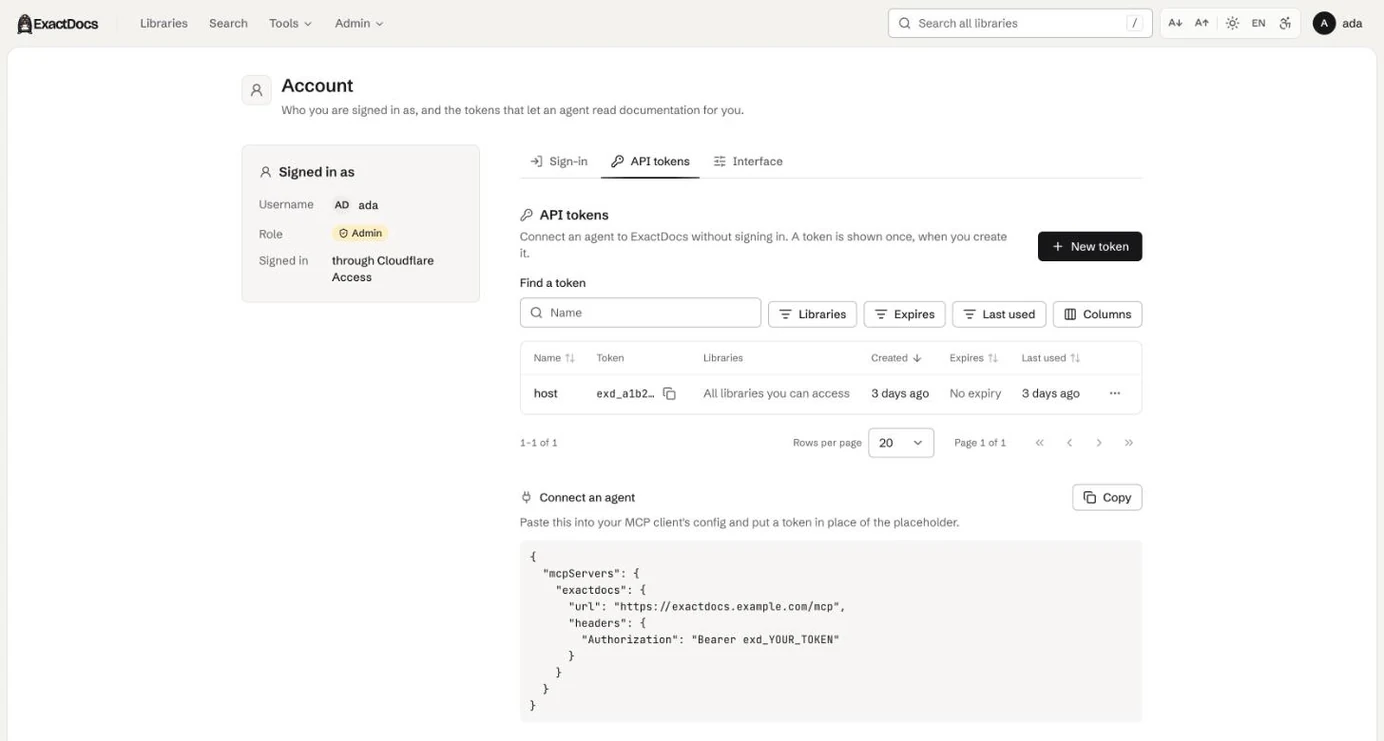
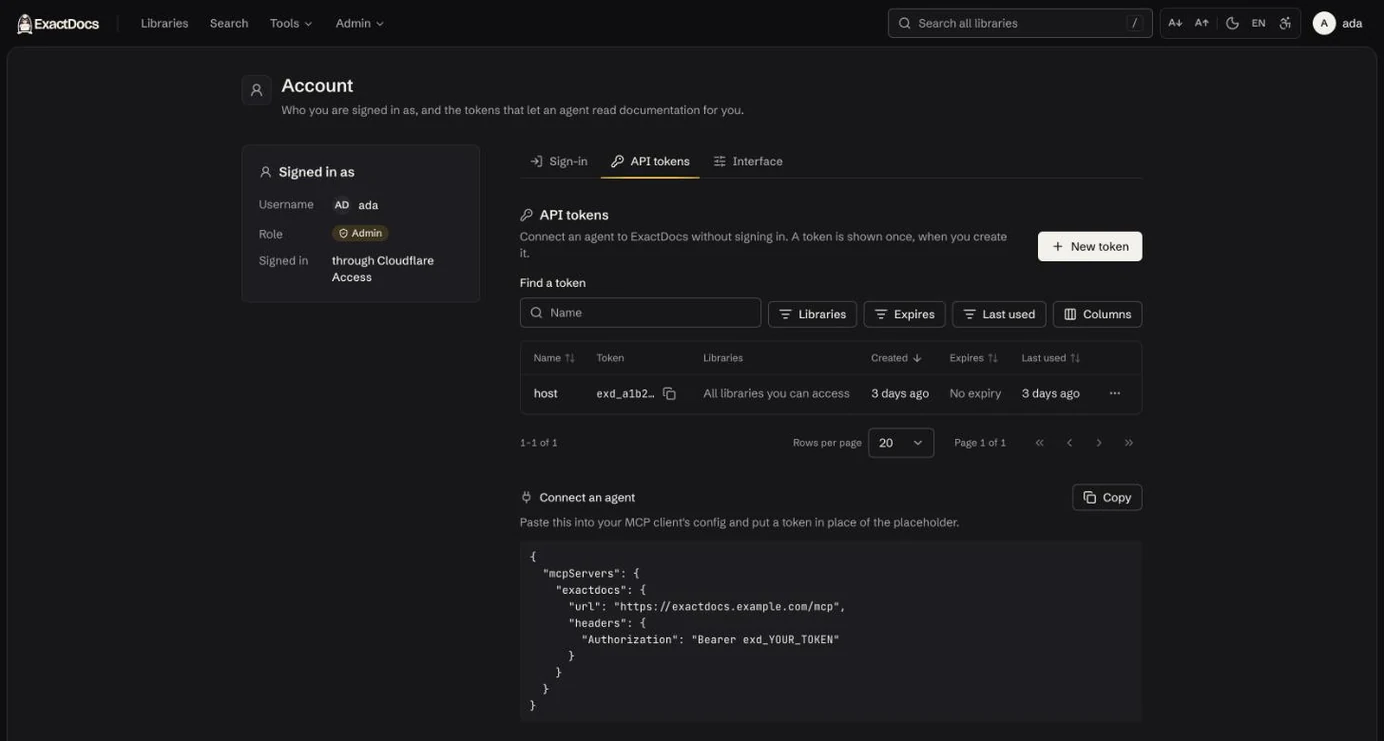
POST /api/v1/tokens creates a token.
- Body:
{"name", "expires_at"?, "library_ids"?}.expires_atis timezone-aware and in the future. - Answers 201 with the token's fields and
token, the secretexd_.... No other call ever returns it (Cache-Control: no-store).
GET /tokens lists a page of the caller's tokens, newest first, with q and sort. Each has
id, name, prefix, created_at, expires_at, last_used_at and library_ids.
DELETE /tokens/{id} revokes one at once (204). Another account's or a missing id is 404
unknown_token.
- The secret is 256 random bits and only its SHA-256 is stored.
- An unknown, expired or revoked token is the same 401.
last_used_atis written at most hourly, best effort: a failed write is logged and the request goes on.- Expired tokens are purged when a new one is created.
- An account holds at most 50 tokens (409
too_many_tokens). - A password reset revokes all of the account's tokens.
Session cookie only
The three token routes need the session cookie, not a token, so a stolen token cannot create a successor.
Library scope
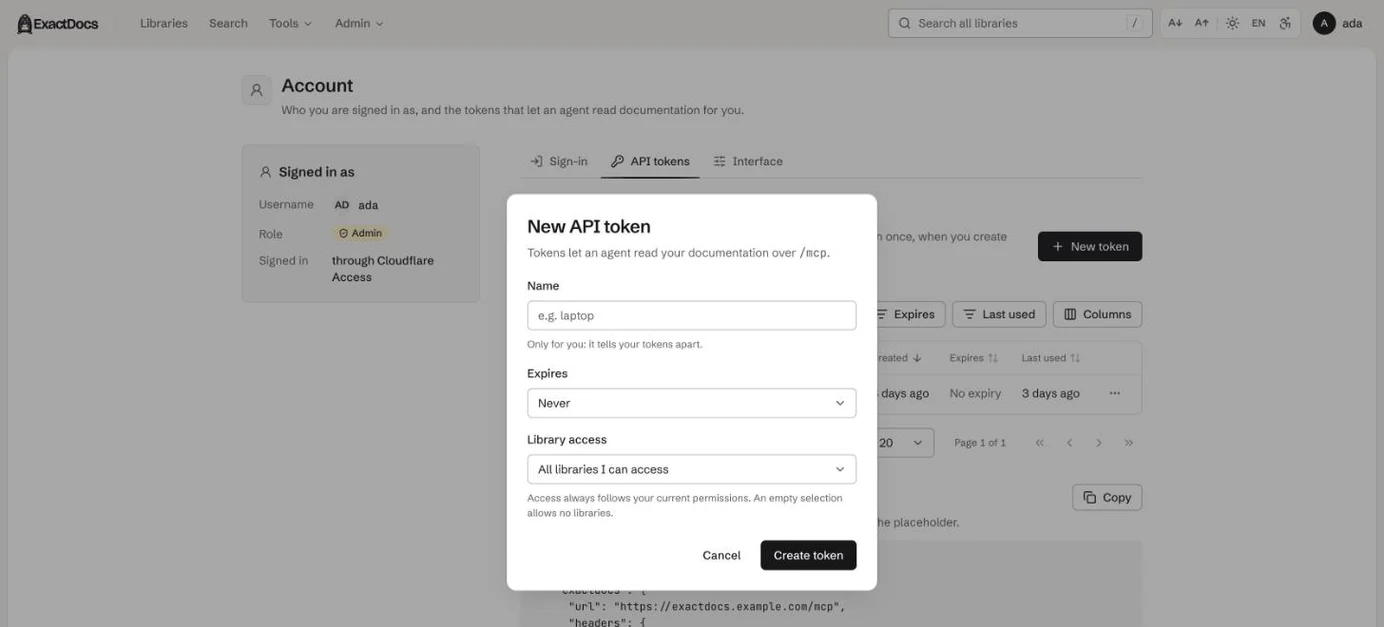
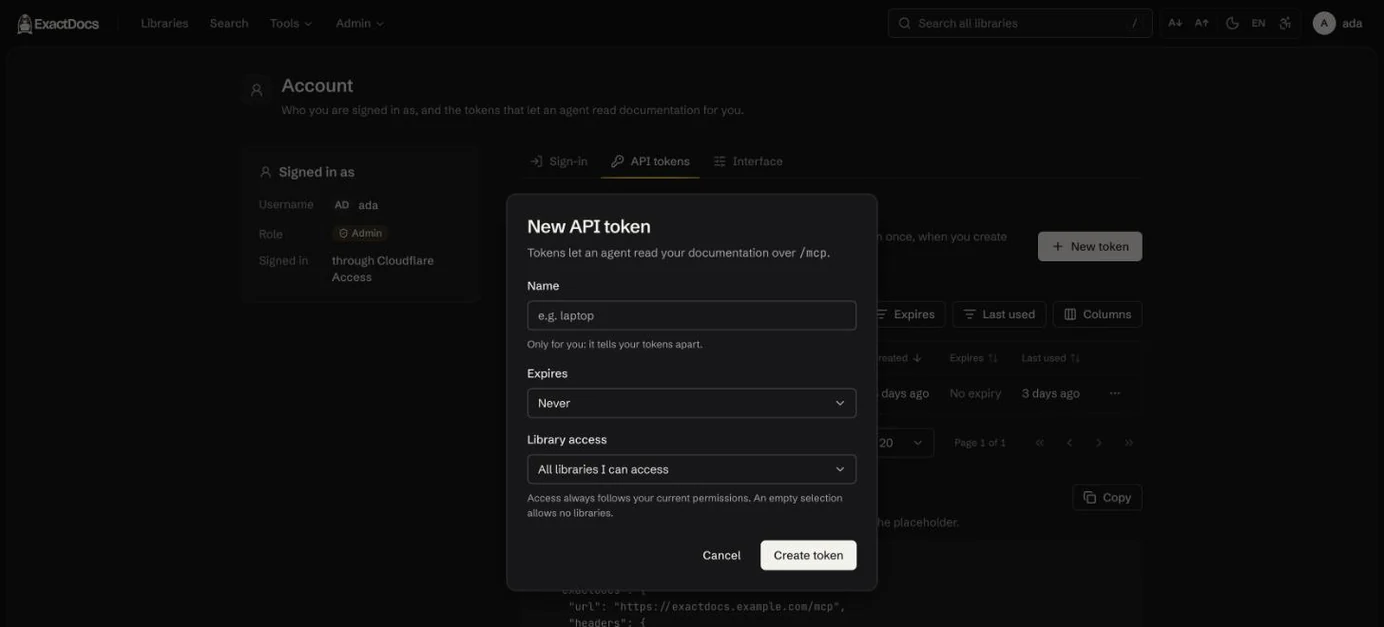
API token creation and password login accept optional library_ids:
| Value | Token reaches |
|---|---|
omitted or null |
all libraries the account can currently access |
[] |
no libraries |
["/acme/docs"] |
that subset |
- IDs are case-insensitive.
- The selection never grants a role: removing the account's access immediately removes token access too.
- Hidden libraries and their articles, assets, chunks and jobs answer the same not-found errors as missing resources.
- The token dialog offers the same selection.
- CLI
loginandtoken createaccept repeatable--library /acme/docs. Omitting the option keeps the unrestricted default.
Rolling back past library scopes
Before rolling back to a version without library scopes, revoke every scoped API token, including tokens with an empty selection.
- The schema downgrade refuses to drop the scope column while any scoped token remains.
- Revoke them before starting an older server binary as well: older code can ignore the column and otherwise treat those credentials as unrestricted.
- Unrestricted legacy tokens are kept by the downgrade.